The huddle button
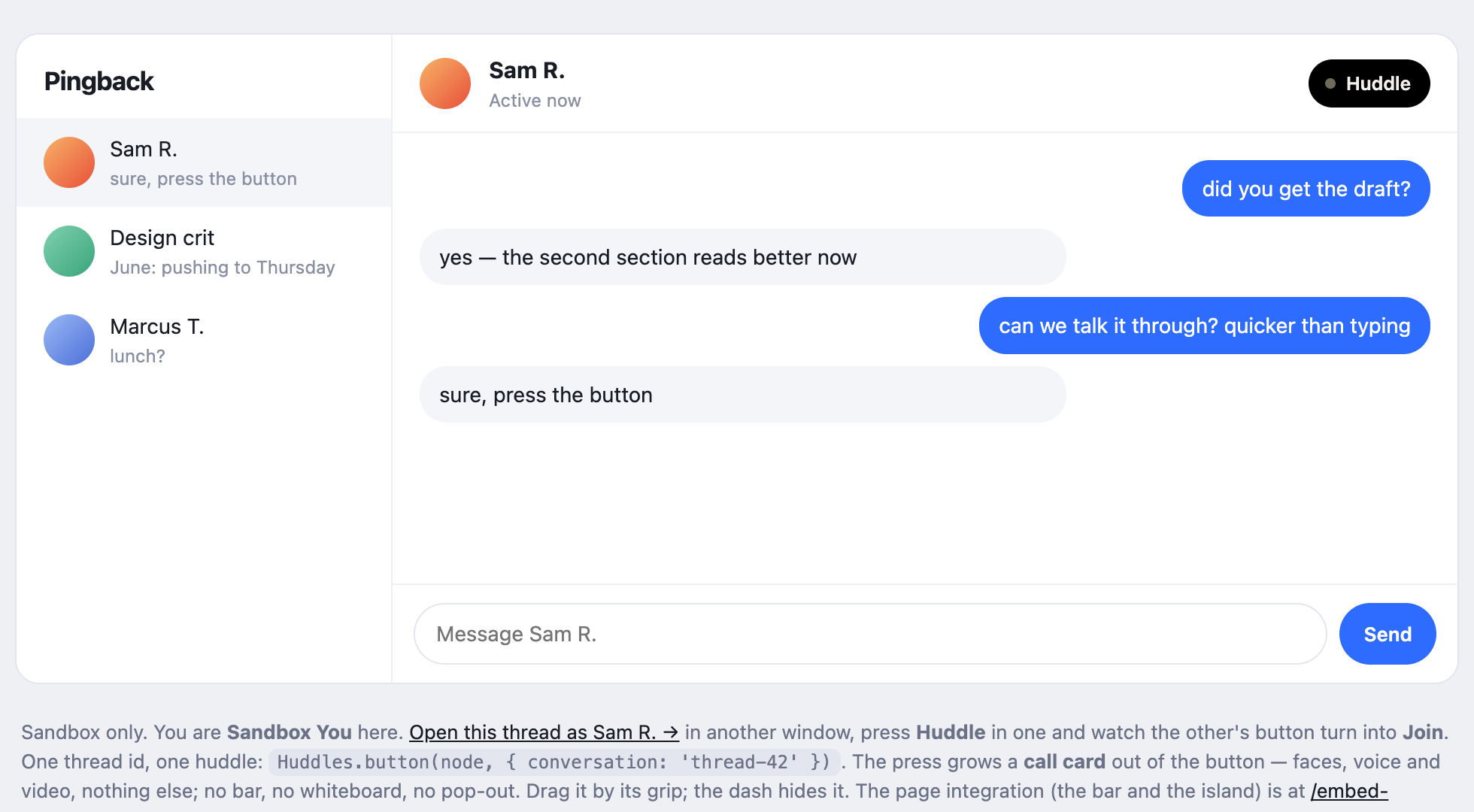
Not a bar on a page: a button in your messenger, where your call button goes. Press it in a thread and a call card grows out of the button — faces, voice and video with the people in that chat, and nothing that needs a page. Think of the video-call button in a messaging app; this is that, and the huddle is ours.
Install#
<script src="https://huddles.space/embed.js"></script>
<script>
  // The button is the form factor: no bar, nothing until a press.
  Huddles.init({ embedder: 'your-app-id', getToken: mintOnYourServer, mode: 'button' });

  // One per thread, keyed by YOUR id for the thread.
  Huddles.button(document.querySelector('#thread-header'), { conversation: thread.id });
</script>
How it works#
- One huddle per conversation
The button carries your own id for the thread. Pressing it asks the room for that conversation's huddle: joins it if it is open, opens it if not. The second person to press lands with the first, and nobody has to find anybody — the thread is the address. The key is namespaced by your app and checked against your space on the socket, so no page can name another platform's thread.
- The button knows
It asks
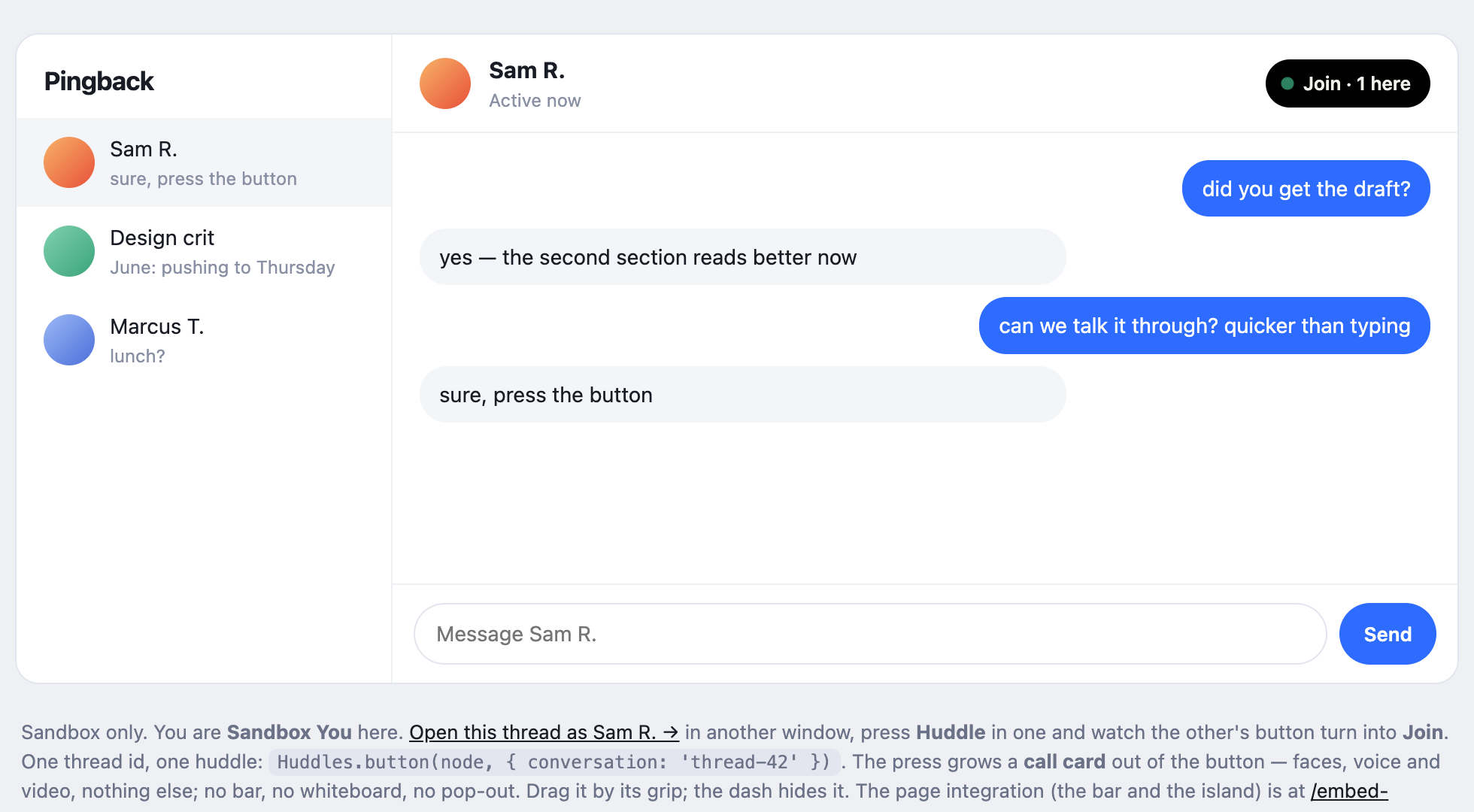
GET /api/embed/:appId/conversation/:keyevery few seconds while the page is visible — a boolean and a count, never who — and reads Join · 2 here once the other side has pressed. That is the difference between a button that starts a call and one that answers it. - Nothing mounts until a press
A page with a button gets no bar, ever. The button itself is a few lines of DOM and one small fetch; the iframe — the session, the socket, the microphone prompt — stays off the page until somebody wants a huddle. On the press the card grows out of the button and sits beside it, below if there is room and above if not.
The card#
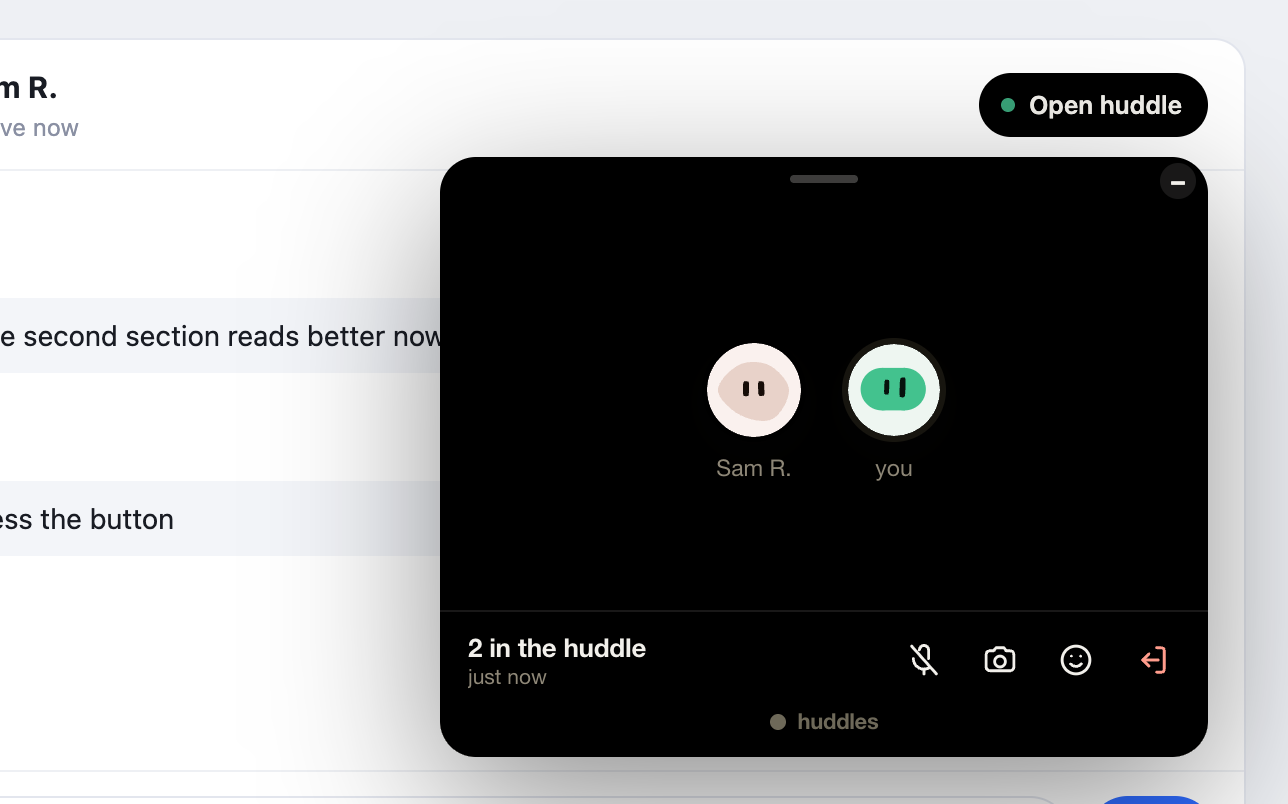
A call and nothing that needs a page. Faces with the eq badge on whoever is talking; camera tiles when a camera comes on, big enough to be a video call; mute, camera, react and leave. There is deliberately no whiteboard, document, chat or pop-out, whatever the app's shaping says — the platform installed a button, and a button that opened the whole product would be a door it did not install. Your own chat is right there under it.
The card hangs off the button: it grows out of the button's own rectangle on the press, drags by the grip along its top, and the dash hides it without ending anything — the iframe stays, and the button reads Open huddle until you press it again. When the call ends the card folds on its own. Pressing the button from inside another thread's huddle moves you; a huddle is one place, and the button is a clear statement of which.
Calls#
| Call | What it does |
|---|---|
Huddles.init({ …, mode: 'button' }) | Register, mount nothing. A page with a button is in this mode anyway. |
Huddles.button(node, { conversation, label? }) | Append a huddle button to node for one thread. Returns the button, so you can style or move it. |
Huddles.call(conversation, rect?) | The same press, from a control of your own; pass its getBoundingClientRect() and the card grows from it. |
GET /api/embed/:appId/conversation/:key | { open, here }. What the button polls; yours to poll too. |
Try it in development: /chat-sandbox is a pretend messenger with one thread between two people. Open it twice — ?as=you and ?as=sam — press Huddle in one window and watch the other’s button turn into Join.
huddles.space · Blog · For Mac · Premium · Terms · Privacy · © 2026 Huddles.Space