Use cases
Messengers & team tools
A chat already knows who is talking to whom. The huddle button turns that into a call with no setup: press in a thread, and the huddle is for the people in that thread.
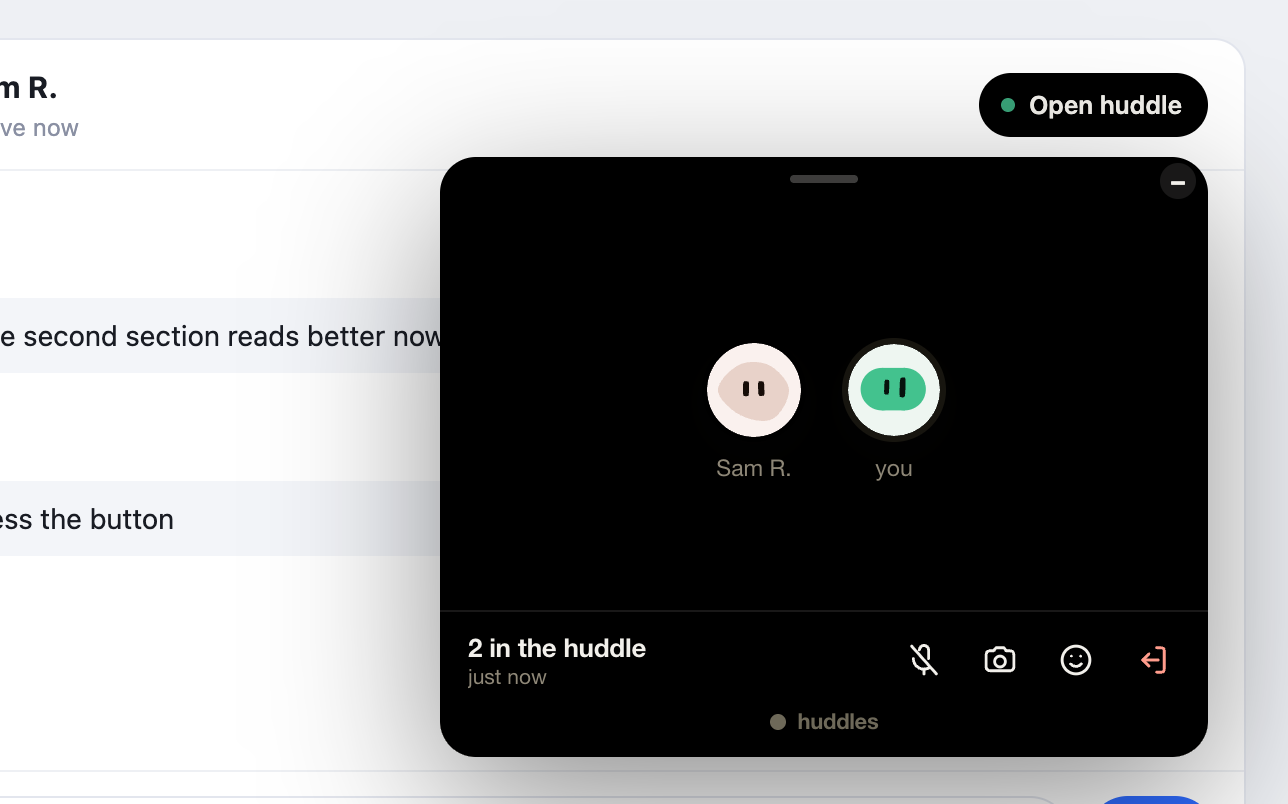
The shape#
The huddle button alone — no bar on the page. Nothing mounts until somebody wants a huddle, so a messenger with a button in every thread pays for nothing until then. Use your thread id as the conversation key, and the button does the rest: polling whether the other side has pressed, growing the call card out of itself on the press.
Huddles.init({ embedder: 'pingback', getToken: mint, mode: 'button' });
Huddles.button(header, { conversation: thread.id, label: 'Huddle' });
Why it works here#
- No ringing, no scheduling. The button reads Join · 1 here when a huddle is waiting, so the thread is the invitation.
- Group threads are groups. Everyone in the thread presses the same button and lands in one huddle; a huddle holds eight on the free plan.
- The card is a call, nothing more. Faces, voice, video; your thread is the chat, so the card does not bring a second one, and it never becomes the whole product.
Read next#
Widget APIHuddles.button, Huddles.call, and what lazy changes.Read more →
Security & privacyWhy a page cannot name another platform’s thread, and what the count route never says.Read more →
huddles.space · Blog · For Mac · Premium · Terms · Privacy · © 2026 Huddles.Space